![leaddesk_logo_black.png]](https://onboard.leaddesk.com/hs-fs/hubfs/LeadDesk%20Logo%20and%20Symbol/leaddesk_logo_black.png?height=31&name=leaddesk_logo_black.png)
You can create message templates for Chat. These messages can be used as canned messages, and may also be used as a welcome message for a message queue.
In your Admin account:
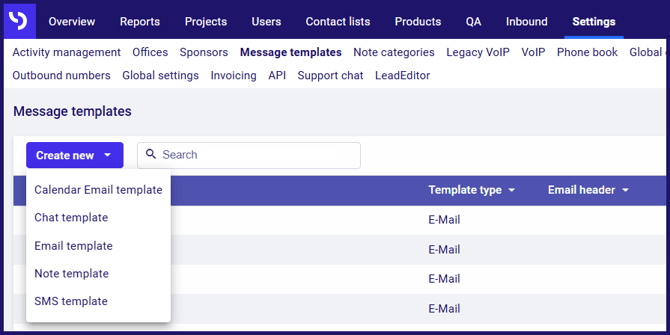
- Go to the Settings page.
- Go to the Message templates subpage.
- Click the Create new button.
- Click to select Chat template.
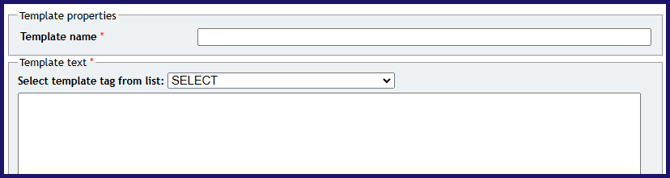
In the Template properties dialog:
- Type the Template name.
- Type the Template text.
- You can insert tags into the template like {agent.name} which will be converted when use. Click the Select template tag from list drop-down to choose a tag.
When ready:
- Click the Create button.